

Have you ever struggled to see what’s behind your car while backing up? A backup camera can make parking and reversing much safer and easier.
But can you install one yourself, or do you need a professional? If you want to improve your driving experience and keep your car and loved ones safe, this article will answer all your questions about installing a backup camera in your car.
Keep reading to discover how simple the process can be and what you need to get started.
Choosing The Right Backup Camera
Choosing the right backup camera can make a huge difference in how easily and safely you navigate your car in tight spots. It’s not just about having a camera; it’s about picking one that fits your car, your needs, and your budget. Let’s break down what you should consider before making a purchase.
Types Of Backup Cameras
There are several types of backup cameras designed for different vehicles and preferences. The most common are:
- Wired Cameras:These connect directly to your car’s display system, offering a stable and clear video feed.
- Wireless Cameras:Easier to install since they don’t require running wires through your car, but they might experience signal interference.
- Flush-Mount Cameras:Installed neatly into your car’s bumper or license plate area, giving a discreet look.
- Surface-Mount Cameras:Attached to the surface of your vehicle, usually easier to install but more visible.
Think about your installation skills and where you want the camera placed before choosing the type.
Key Features To Look For
Not all backup cameras are created equal. Pay attention to these features to get the most out of your investment:
- Resolution:A higher resolution gives you a clearer picture. This can be critical when you need to spot small obstacles.
- Field of View:Wider angles (up to 170 degrees) provide better coverage behind your car.
- Night Vision:Essential if you often back up in low-light conditions or at night.
- Waterproof Rating:Since the camera is exposed to the elements, look for one with at least an IP67 rating to ensure durability.
- Guidelines:Some cameras include parking guidelines to help judge distance more accurately.
Ask yourself which features will truly make your daily parking easier and safer.
Budget Considerations
Backup cameras come in a wide price range, from affordable basic models to high-end units with advanced features. Setting a budget helps narrow down your choices.
Keep in mind that a cheaper camera might save money upfront but could lack durability or clarity. On the other hand, investing in a quality camera now might save you from costly repairs or accidents later.
Have you thought about how often you park in tricky spots or if you need extra features like night vision? This can guide how much you should spend.

Credit: www.youtube.com
Tools And Materials Needed
Installing a backup camera in a car requires specific tools and materials. Having the right equipment makes the process easier and safer. The list below covers what you need to get started and what can help improve the installation.
Essential Tools
- Screwdrivers (flathead and Phillips) for removing panels and screws
- Wire strippers and cutters to prepare the wiring
- Electrical tape to secure and insulate connections
- Drill with bits for mounting the camera if necessary
- Multimeter to test electrical connections and voltage
- Panel removal tool to avoid damage to interior trims
- Measuring tape for precise camera placement
- Zip ties to organize and secure wires
Optional Accessories
- Extension cables for longer wire runs
- Fuse tap for easy power connection
- Butt connectors for quick wire joining
- Heat shrink tubing for extra wire protection
- Velcro strips or adhesive mounts for flexible camera placement
- Backup camera monitor or display unit if your car lacks one
Safety Precautions
- Disconnect the car battery before starting to avoid shocks
- Work in a well-lit and ventilated area
- Wear gloves to protect your hands from sharp edges
- Keep metal tools away from battery terminals to prevent shorts
- Follow the camera manufacturer’s instructions carefully
- Double-check wiring connections before restoring power
Step-by-step Installation Process
Installing a backup camera in a car enhances safety and parking ease. The process is simple and can be done with basic tools. Follow these clear steps to fit your backup camera correctly.
Preparing The Vehicle
Start by cleaning the rear area where the camera will attach. Remove any dirt and grease to ensure good adhesion. Gather all tools and the camera kit before starting the installation. Turn off the car and disconnect the battery to avoid electrical issues. Check your vehicle’s manual for any specific instructions or warnings.
Mounting The Camera
Choose a spot near the license plate or rear bumper for the camera. Use the mounting bracket or adhesive pad included in the kit. Secure the camera firmly to avoid movement while driving. Adjust the angle so the camera faces directly backward. Tighten screws or clips to hold the camera in place.
Wiring And Connecting
Route the camera wire through the trunk or rear panel towards the dashboard. Hide the wires under trim panels for a clean look. Connect the camera power wire to the reverse light wire to activate the camera when reversing. Attach the video cable to the display unit or head unit input. Use electrical tape or connectors to secure and insulate connections.
Testing The System
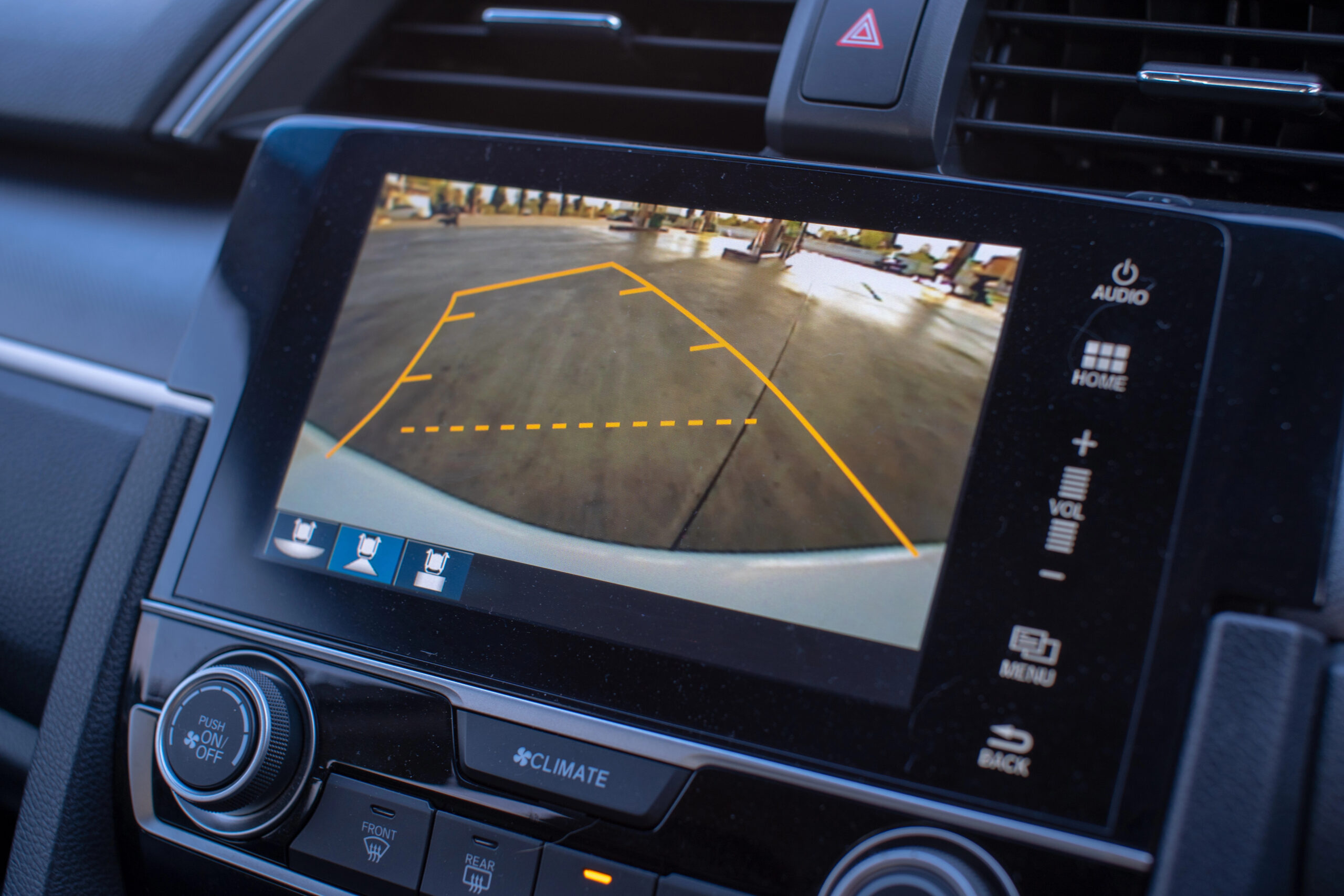
Reconnect the battery and turn on the car. Shift into reverse gear to activate the backup camera. Check the display for a clear image and correct angle. Adjust the camera if the view is too high or low. Ensure the image is stable and free from interference. Make any necessary wire or camera position adjustments for optimal performance.
Credit: jerry.ai

Credit: www.amazon.com
Frequently Asked Questions
Can I Install A Backup Camera Myself In My Car?
Yes, you can install a backup camera yourself with basic tools. Most kits include clear instructions and necessary hardware. However, ensure you understand wiring and mounting before starting. DIY installation saves money but requires patience and care to avoid damage.
Are Backup Cameras Compatible With All Car Models?
Most backup cameras work with various car models, but compatibility depends on your vehicle’s make and year. Check if your car supports video input or if an adapter is needed. Always verify compatibility before purchasing to ensure proper installation and functionality.
What Tools Do I Need To Install A Backup Camera?
Common tools include screwdrivers, wire strippers, electrical tape, and a drill. Some installations may require a multimeter or panel removal tools. Having the right tools ensures a smoother installation process and helps avoid damage to your vehicle.
How Much Does Installing A Backup Camera Typically Cost?
DIY backup camera kits usually cost between $50 and $200. Professional installation can add $100 to $300 depending on complexity. Costs vary based on camera type, vehicle, and labor charges, so budgeting accordingly is important.
Conclusion
Installing a backup camera in your car is possible and helpful. It makes parking and reversing safer and easier. Many kits are simple to install with basic tools. You can choose wired or wireless cameras based on your needs. Always follow instructions carefully for the best results.
A backup camera can improve your driving experience and reduce accidents. Take time to research and pick the right camera for your vehicle. Safety matters, and a backup camera helps protect you and others.



