

If your car’s check engine light just came on, you might feel a mix of confusion and worry. But what if you could quickly find out what’s wrong without paying a mechanic right away?
That’s where an OBD2 scanner comes in. This handy device lets you connect to your car’s computer and read error codes yourself. In this guide, you’ll learn exactly how to use an OBD2 scanner step-by-step. By the end, you’ll have the confidence to diagnose your car’s issues and save time and money.
Ready to take control of your vehicle’s health? Let’s get started.
Choosing The Right Obd2 Scanner
Choosing the right OBD2 scanner is crucial to get accurate diagnostics and save time on car repairs. Not all scanners are built the same, and the one you pick should match your needs and your vehicle’s specifications. Let’s break down what you should consider before making a purchase.
Types Of Scanners
OBD2 scanners come in various types, each suited for different users and purposes.
- Basic Code Readers:These are simple devices that read and clear error codes. They’re perfect if you want quick checks without extra features.
- Advanced Scan Tools:These provide detailed diagnostics, live data streaming, and can often reset systems. Ideal if you want deeper insights or plan to fix issues yourself.
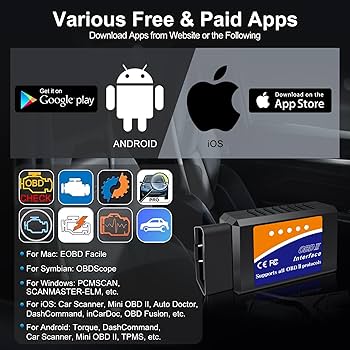
- Bluetooth/Wi-Fi Scanners:These connect to your smartphone or tablet via an app. They offer convenience and easy updates but require a compatible device.
Think about how detailed you want your diagnostics to be and how comfortable you are with tech before choosing a type.
Compatibility With Your Vehicle
Not every OBD2 scanner works with all cars. You need to check the compatibility with your vehicle’s make, model, and year.
Most vehicles manufactured after 1996 support standard OBD2 protocols, but some brands may use proprietary systems or require special adapters. Double-check the scanner’s supported protocols like CAN, ISO, or KWP to avoid frustration.
Ask yourself: does the scanner support my car’s specific system? Ignoring this can lead to wasted money and time.
Features To Look For
Think beyond just reading error codes. The right features can make your scanner a valuable tool.
- Live Data Display:Watch real-time engine data to diagnose issues faster.
- Freeze Frame Data:See the exact conditions when a fault occurred.
- ABS and Airbag Diagnostics:These are helpful if you want to check safety systems.
- Update Capability:Cars change over time, so a scanner that updates ensures you stay current.
- User-Friendly Interface:Choose one with clear menus and easy navigation to avoid confusion.
Which features will save you the most time and money? Reflect on what problems you face most often with your vehicle.

Credit: www.youtube.com
Connecting The Scanner To Your Car
Connecting an OBD2 scanner to your car is the first hands-on step toward understanding your vehicle’s health. It may seem simple, but knowing exactly where and how to connect the scanner makes the process faster and less frustrating. Let’s break down how you can do this confidently.
Locating The Obd2 Port
The OBD2 port is usually under the dashboard, near the driver’s seat, but it’s not always in the same spot. Sometimes it hides beneath a small cover or tucked behind a panel. Have you checked around the steering column, just above the pedals? That’s a common spot.
If you can’t find it there, look near the center console or under the glove box. The port looks like a trapezoid-shaped connector with 16 pins. It’s designed to be easy to spot once you know where to look.
Step-by-step Connection Guide
- Turn off your car’s ignition.This prevents any electrical surges and ensures safe connection.
- Plug the OBD2 scanner’s connector firmly into the port.It only fits one way, so don’t force it if it doesn’t slide in easily.
- Turn on the car’s ignition without starting the engine.This powers up the vehicle’s computer and the scanner.
- Follow your scanner’s prompts.Most devices will power on automatically and begin communication with your car’s system.
In my experience, a solid connection reduces error messages on the scanner’s display. Have you ever noticed your device showing “no communication”? Usually, a loose plug is the culprit. Double-checking the connection can save you time and confusion.
Reading And Interpreting Codes
Reading and interpreting codes from your OBD2 scanner is a crucial skill that puts you in control of your vehicle’s health. When your check engine light comes on, it sends a message through diagnostic trouble codes (DTCs). Understanding these codes helps you decide if it’s a simple fix or if you need professional help.
Common Diagnostic Trouble Codes
Some codes appear more often than others. Knowing these common codes can save you time and frustration.
- P0171:System Too Lean (Bank 1) – This means your engine is running with too much air or not enough fuel.
- P0300:Random/Multiple Cylinder Misfire Detected – Your engine is misfiring in one or more cylinders.
- P0420:Catalyst System Efficiency Below Threshold – Usually related to your catalytic converter’s performance.
- P0455:Evaporative Emission System Leak Detected (Large Leak) – Indicates a problem with your fuel system’s vapor control.
Recognizing these codes early can help you avoid bigger repairs.
Using The Scanner’s Interface
Most OBD2 scanners have a simple interface, but it can feel confusing at first. You’ll usually navigate through menus using arrow keys or touch buttons.
After connecting the scanner to your car’s OBD2 port and turning on the ignition, the scanner will communicate with your vehicle’s computer. It will display the codes and sometimes offer brief descriptions.
Take your time exploring the options. Some scanners provide live data streams, freeze frame data, and readiness monitors. These features give you deeper insight but start with just reading the codes.
What The Codes Mean
Each code is like a clue pointing to a specific problem area. The first letter indicates the system:
- P– Powertrain (engine, transmission)
- B– Body (airbags, lighting)
- C– Chassis (brakes, suspension)
- U– Network (communication between modules)
The numbers that follow narrow down the issue. For example, a P0302 means a misfire in cylinder 2.
Sometimes, a code alone doesn’t tell the whole story. You may need to check related systems or sensors. Asking yourself, “What triggered this code?” can guide your troubleshooting.
Credit: www.triumphbobberforum.com
Taking Action After Scanning
After you’ve scanned your vehicle with an OBD2 scanner, the next step is deciding what to do with the information. The scanner provides valuable codes that pinpoint issues, but knowing how to act on them can save you time, money, and stress. Taking action wisely ensures your car stays in top shape and prevents small problems from turning into big repairs.
Clearing Codes Safely
Clearing codes immediately after scanning might seem like a quick fix, but it’s important to understand what those codes mean first. If you erase the codes without addressing the root cause, the problem could worsen or come back. Use your scanner’s guide to interpret the codes and only clear them once you’ve made the necessary repairs or confirmed the issue is resolved.
Before clearing codes, make sure your car is running smoothly. If the check engine light turns back on shortly after, it signals the problem still exists. This approach helps you avoid guessing games and unnecessary expenses.
When To Seek Professional Help
Some issues revealed by an OBD2 scanner require expert attention. If the codes point to serious engine, transmission, or electrical problems, it’s best to consult a mechanic. Attempting complex repairs without proper knowledge can lead to more damage.
Ask yourself: Do you have the right tools and experience to fix this issue? If not, scheduling a professional inspection can save you headaches and ensure the repair is done correctly. Remember, mechanics have access to advanced diagnostic tools that can provide deeper insights.
Maintaining Your Car’s Health
Using an OBD2 scanner regularly helps you stay ahead of potential problems. Make it a habit to scan your vehicle every few months or before long trips. This practice allows you to catch minor issues early and maintain consistent performance.
Besides scanning, keep up with routine maintenance like oil changes, tire rotations, and brake checks. Combining these efforts keeps your car reliable and extends its lifespan. How often do you check your car’s health beyond just the dashboard lights?
Credit: www.amazon.ca
Frequently Asked Questions
What Is An Obd2 Scanner Used For?
An OBD2 scanner reads your vehicle’s diagnostic codes. It helps identify engine issues and other system problems quickly. This tool saves time and money by allowing you to diagnose car troubles before visiting a mechanic.
How Do I Connect An Obd2 Scanner To My Car?
Locate your car’s OBD2 port, usually under the dashboard. Plug the scanner into the port and turn on your vehicle. Follow the scanner’s instructions to establish a connection and begin reading diagnostic codes.
Can An Obd2 Scanner Reset The Check Engine Light?
Yes, many OBD2 scanners can reset the check engine light. After fixing the issue, use the scanner to clear error codes. This turns off the light and confirms the problem is resolved.
Which Cars Support Obd2 Scanners?
Most cars manufactured after 1996 in the US support OBD2 scanners. European and Asian vehicles have similar standards from early 2000s. Check your car’s manual if unsure about compatibility.
Conclusion
Using an OBD2 scanner helps you find car problems fast. It saves time and money on repairs. Anyone can learn to use it with practice. Just plug it in, read the codes, and understand the results. Keep your car healthy by checking it often.
This tool makes car care simple and clear. Try it out and see the difference yourself.



